How to Mine Akroma
Akroma is a digital currency platform, focused on one main concept – creating a sustainable governance model. If you are wondering whether Akroma mining is a profitable undertaking, you have come to the right place. In this article, we will provide you with the full guide on how to mine Akroma (AKA). …more
To get you started, we will go over a list of the basic things you need to become a successful Akroma miner:
- Choosing the right Hardware for the Job
- Proper Software and Hardware Configuration
- Reliable Mining Pools to join
There’s also always the option of cloud mining, which we’re going to discuss in a specific section, so you’ll be able to take the most convenient decision for yourself.
Why You Should Mine Akroma
The Akroma team decided to make their network public, so the decentralized platform could grow and develop. Akroma has multiple startup projects focused on alternative solutions, public networks, private networks and adjustments. Developers are looking for different solutions for stability in the transaction process. Currently, the development is focused on networks with their own APIs (application programming interface), which the team is required to learn. Akroma is a stable performant, building applications using their platform. This is what makes it extremely interesting to consider as a mining option.
Best Way to Mine Akroma
The Ethash based coin uses a PoW (Proof-of-Work) model. This means you’re perfectly able to mine Akroma not only with GPUs, but also with ASICs. While recommend getting an ASIC, should you choose the GPU route, go for AMD ones. Further down in our article, we’ll present you with a detailed list with the best Akroma hardware available at this moment. To maximize your profit, pool mining is way better, having in mind the more frequent payouts and Akroma network difficulty.
You can also sign a contract with a cloud provider to avoid equipment issues and electricity bills, but we’re going to take a deeper look in this practice later in the article.
What do You Need to Start Mining Akroma?
First of all, what’s really important is the choice of a hardware. Based on that, you’ll make all further decisions regarding setup and software. Next, is the Internet connection, which we recommended to be stable, low latency and unlimited traffic. That way, you won’t miss out on rewards from found blocks and you can keep on mining Akroma 24/7 for maximum profits. You should also create a wallet to store your mined coins.
In summary:
- Mining Hardware (preferably ASIC)
- Mining Software (if you choose GPU Mining)
- Internet Connection with 1MB/s Bandwidth
- An Akroma Wallet to stock your Coins
Best choice of Akroma Mining Hardware to buy
Key parameters of mining devices are hashrate, power consumption and market price. We’ve created a list of top hardware for you to choose the most suitable, corresponding to your mining goals. Have a look at the table below:
Recommend Akroma Hardware
Bitmain – E3 ASIC
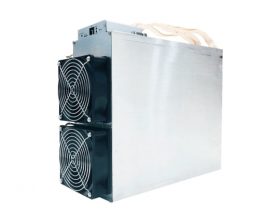
- 180 MH/s , 800W
- 399.5mm(L) x 130mm(W) x 328.15mm(H)
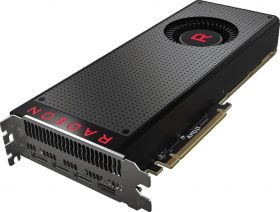
With the help of the parameters included in the table above you can use our Akroma Mining calculator to estimate the amount you’re about to earn, according to the specifications of the chosen hardware.
What Else to Consider Before Starting to mine
Once you’ve picked your desired hardware, you’ll need to get hold of some fans for cooling your AKA mining setup. The equipment produces a lot of heat and can get noisy, but you can follow this link and find advice from our mining experts how to handle these issues: (Ventilation, noise and cooling decision for your hardware).
As we already noted, pool mining is the recommended choice if you really want to earn stable income. Here’s a list with some of the recommended Akroma pools:
Cryptopools
Miningpool.fun
If you’re wondering which wallet suits you the best, Akroma offers web, desktop and mobile wallet for Android.
Setup Hardware and Software / Configuration
The configuration depends on the hardware you are going to use. In our case we will provide you the latest guide on GPU mining configuration for this algorithm since it’s most popular among the miners.
GPU Mining Configuration
Let’s take a step-by-step look of the Claymore Dual Miner setup for a GPU miner:
-
01. Create a Wallet From the Official Akroma Website
-
02. Download Claymore Dual Miner and Choose a Mining Pool.
You can choose one from our mining pool recommendations table earlier in this article.
-
03. Configure Your Wallet and Pool Info into the AKA Miner Startup File
Unzip the file and search for the start.bat, then right click and edit it. It should look like this:
EthDcrMiner64.exe -epool stratum+tcp://mining.akroma.org:8008 -ewal {YOUR_AKROMA_ADDRESS} -eworker {RIG_ID} -epsw x -allcoins 1Replace {YOUR_AKROMA_ADDRESS} with your akroma wallet address, save the changes and run the file.
After a minute, the miner window should look like this.
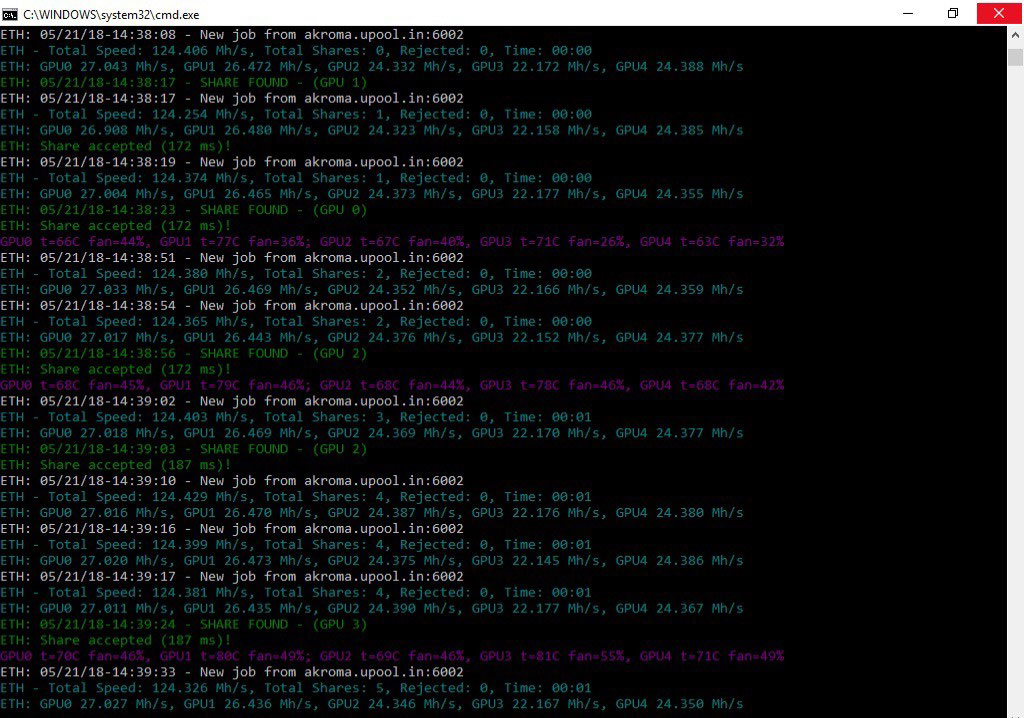
Accepted share means that everything is working, and you are actually mining.
Setup Guide for ASIC Hardware
The Configuration of the ASIC is very easy, just enter the pool mining information in the Web Interface of your device.
-
01. Connecting Your Hardware
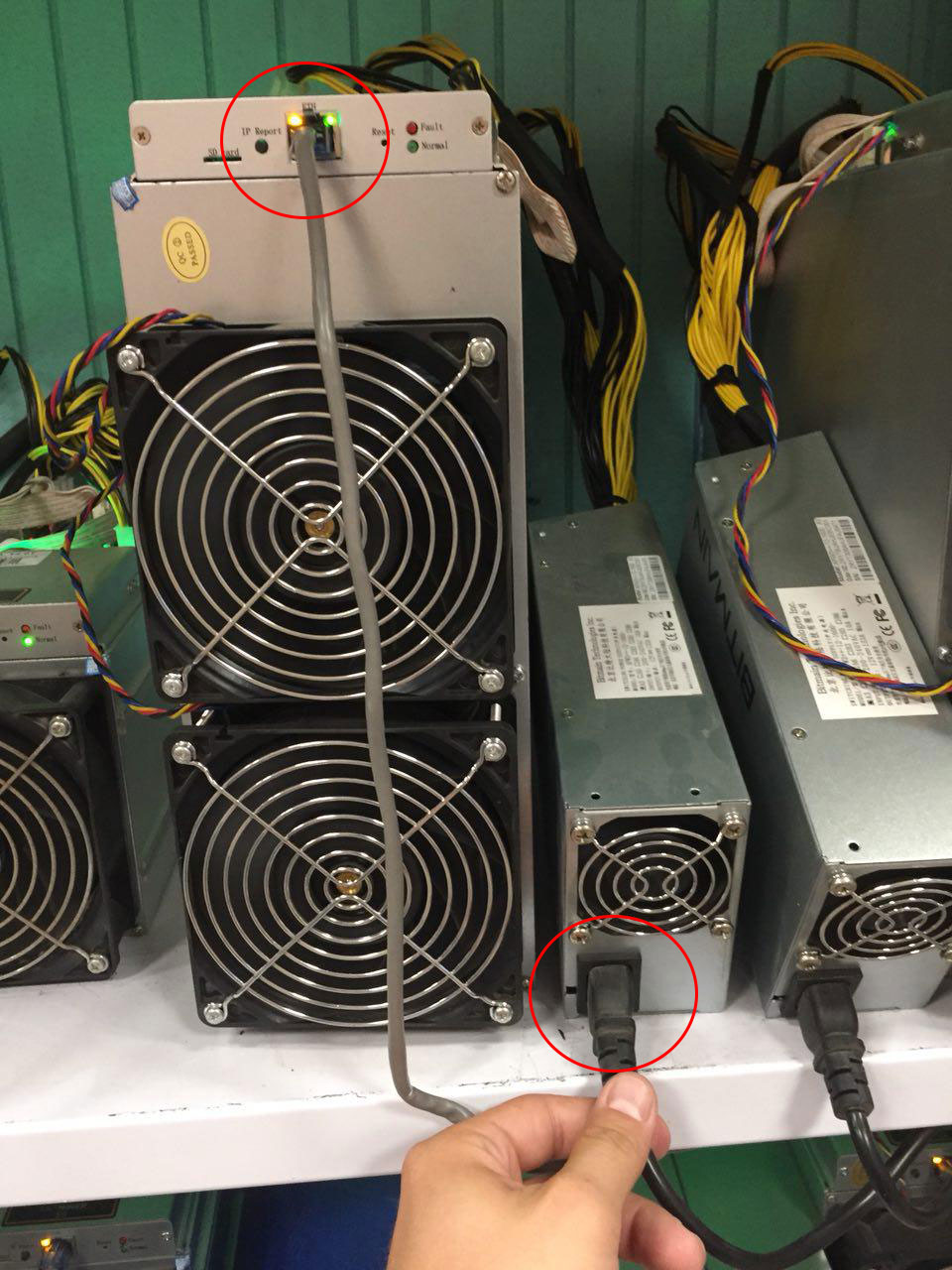
Connect the power supply with your ASIC miner and then plug the power cord into the electricity. You will need a LAN cable coming from your Internet network to be connected to the LAN port located on the miner control board.
-
02. Choose an AKA Mining Pool
As we mentioned earlier, you can choose one of the mining pools we introduced earlier in this article. Click here to jump to recommended Akroma mining pools table.
-
03. Find out the IP Address of Your Mining Hardware:
If you can access the DHCP server on your router or scan the network, you can easily verify the IP address of the ASIC. Another option is to use the IP Reporting software from the manufacturer with the combination of holding the Report button located on the control board. You can read manufacturer manual to find more information about IP Reporting tool.
-
04. Login the Akroma Miner
Open up your web browser then enter the IP address of the miner and hit enter.
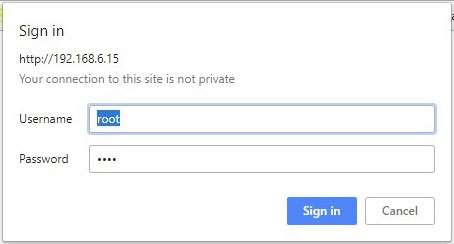
You will be asked for username and password which by default are both “root”.
-
05. Enter Mining Pool Information
After you have successfully logged in, click on the Miner Configuration, where you should enter your favorite mining pools configuration and wallet address to receive your earnings.
A working configuration should look like this:
URL: Mining.Akroma.org:8008Worker: YourWalletAddressHere
Password: Leave blank or 123

Replace “YourWalletAddressHere” with your actual Akroma wallet address.
-
06. Save and Apply
Click “Save & Apply” and leave it for a few minutes – if it starts to accept shares and shows your hashrate – you’ve started mining and everything is working like it should.
Akroma Cloud Mining
If you want to avoid all the hassle, you should definitely consider cloud mining. The advantages provided by cloud mining are lower electricity costs, no mining equipment to sell when mining is no longer profitable, no pre-ordering of hardware. Of course, we should note there are some disadvantages also, such as lower profits, lack of possession of hardware and software, and the possibility of being scammed. You need to choose a provider and purchase a contract. Pay attention to the maintenance fees when making your choice. For detailed information on how to pick out the best provider and avoid getting scammed, check out or extensive article: (Akroma Cloud Mining).
Akroma Mining Calculator
Use the Akroma mining calculator to verify your estimated profit. Enter the hash rate of the miner, power consumption and pool fee, then click “calculate”.
You’ll receive detailed information about your daily, hourly, weekly, monthly and yearly result of the expected income.
Disclaimer: Disclaimer: As you are aware, cryptocurrency values are always fluctuating. It is not wise to do one estimation and take it for granted. Things like coin price and network difficulty are dynamic and you should always be wary of that.
FAQ
How long does it take to mine 1 AKA?
For example, if you are mining with one GPU RX580 at 30.5 MH/s, you will need approximately two hours to mine 1 Akroma coin.
How much you can mine at one day?
It depends on the hash rate of your equipment. You can easy check this with the help of our Akroma mining calculator.
Is it worth it?
Depends on your expectations, but you can simply verify how much time is needed to break even.
Can I mine for free?
Unless you have free equipment and free electricity the answer is no.
Can I mine by my iPhone?
Even if it was possible we would not recommend it because it’s not effective and your phone might overheat.
About Akroma
Akroma is a fork of the Ethereum protocol, using the same codebase, but not the same ledger. Some of its features include the lack of major protocol changes, integration of upstream changes, the focus on the user’s experience instead of enterprise-centered development. Akroma offers the same tools as the Ethereum for the developers – smart contracts, solidity and Web3 feature. It also has a masternodes system, prophets – which give access to data outside the blockchain and decentralized oracles, which are providing data to smart contracts. In general, Akroma is to Ethereum as Litecoin is to Bitcoin.
Akroma Team
Akroma’s team consists of many developers and technologists, designers and community manager. Its goal to create a governance model, which will bring rewards long-term, is believed to be extremely profitable for early adopters.
Akroma Regulations
First of all, check if mining in your country is banned or not. Places such as Algeria, Bolivia, Ecuador, Bangladesh, Nepal and Macedonia have banned mining cryptocurrencies. Other like Vietnam, Indonesia and Thailand banned it just as a payment tool, but you can still trade it. In all other countries there are some regulations, but generally, it’s perfectly legal to practice the mining process.
Sources: